

*Brain is currently on Beta.
Brain is your built-in AI assistant designed to help you create and manage your OpoShop store, products, and brand identity through simple conversations. Below is a full breakdown of what Brain is, what it can do, and the plans it is currently included in.
As of now, Brain is available on all OpoShop plans:
- Essential
- Core
- Advanced
How to Enable Brain on OpoShop
- Go to your OpoShop dashboard.
- Click on Store Settings.
- Open the General tab.
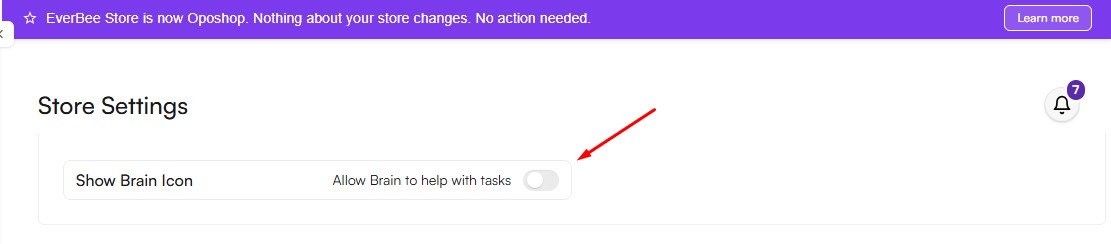
- Turn on the toggle for Show Brain Icon.
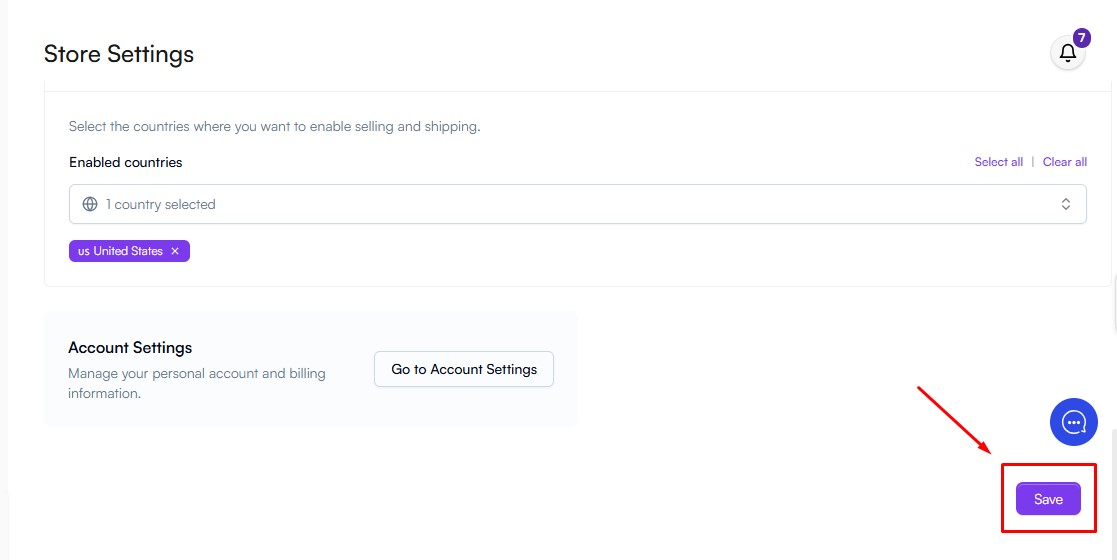
- Scroll down the page using the right sidebar.
- Click Save to apply your changes.
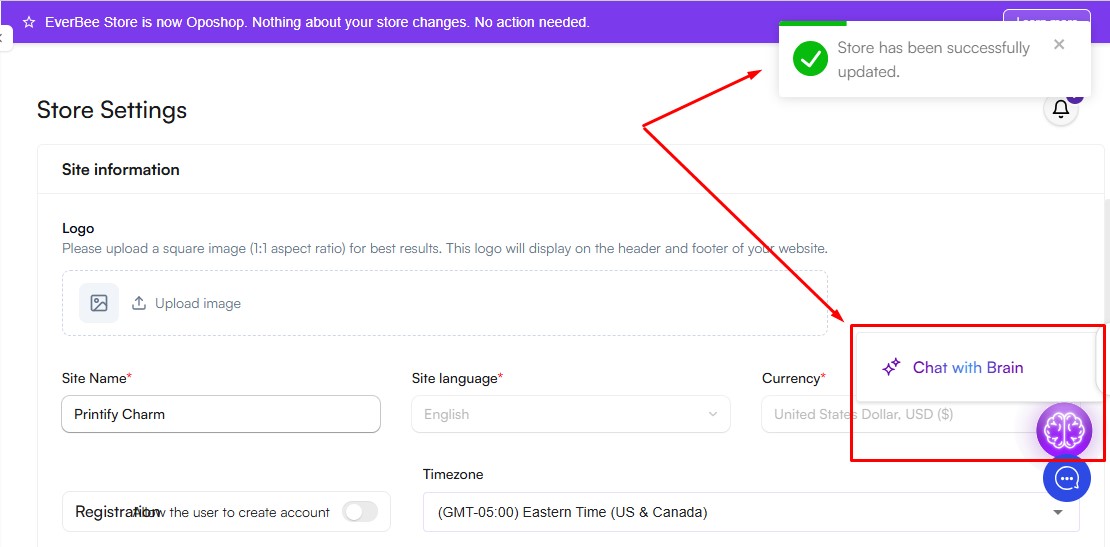
Note: Once saved, a confirmation message will appear: “Store has been successfully updated.”
The Brain icon will then be visible on the right side of your screen.
💬 What Can You Do With Brain?
Brain works like a chatbot, but it’s specifically designed for e-commerce. It helps you manage and grow your store more efficiently.
- Ask any business-related questions.
- Create new products, including help with category selection, SEO-optimized tags, and product descriptions.
- Edit and improve existing products.
- Upload and manage brand-related files.
- Generate or refine your brand identity and strategy, including mission, vision, values, and customer persona.
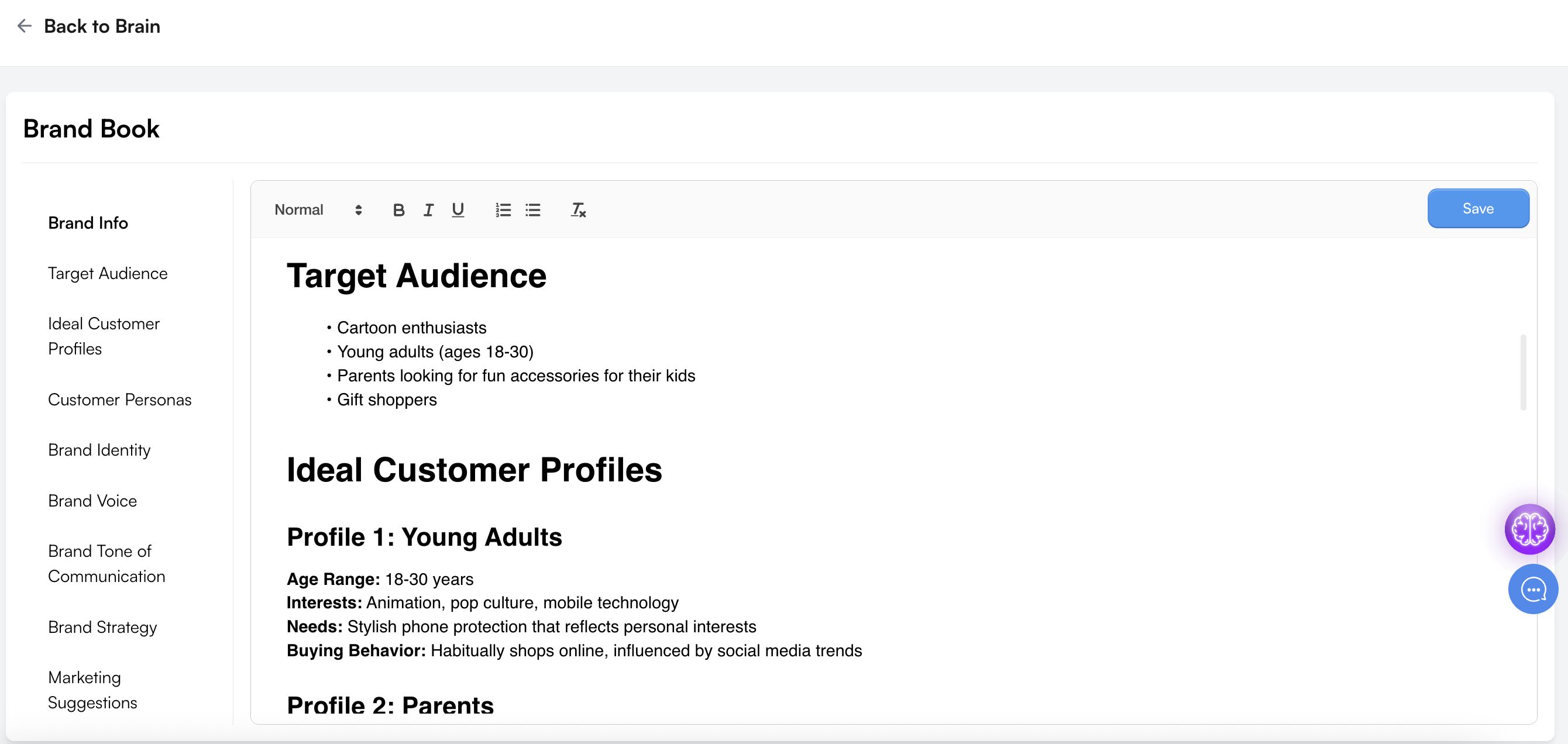
*This is the Brand Book created by Brain
Uploading Your Own Files
If you already have branding materials (such as a tone guide, visual direction, or a full brand book), you can upload your documents directly to Brain using the widget.
Brain will analyze your files and incorporate that information into your brand book or product suggestions.
How to Upload Files
- Click Brain in the left sidebar.
- Select Documents.
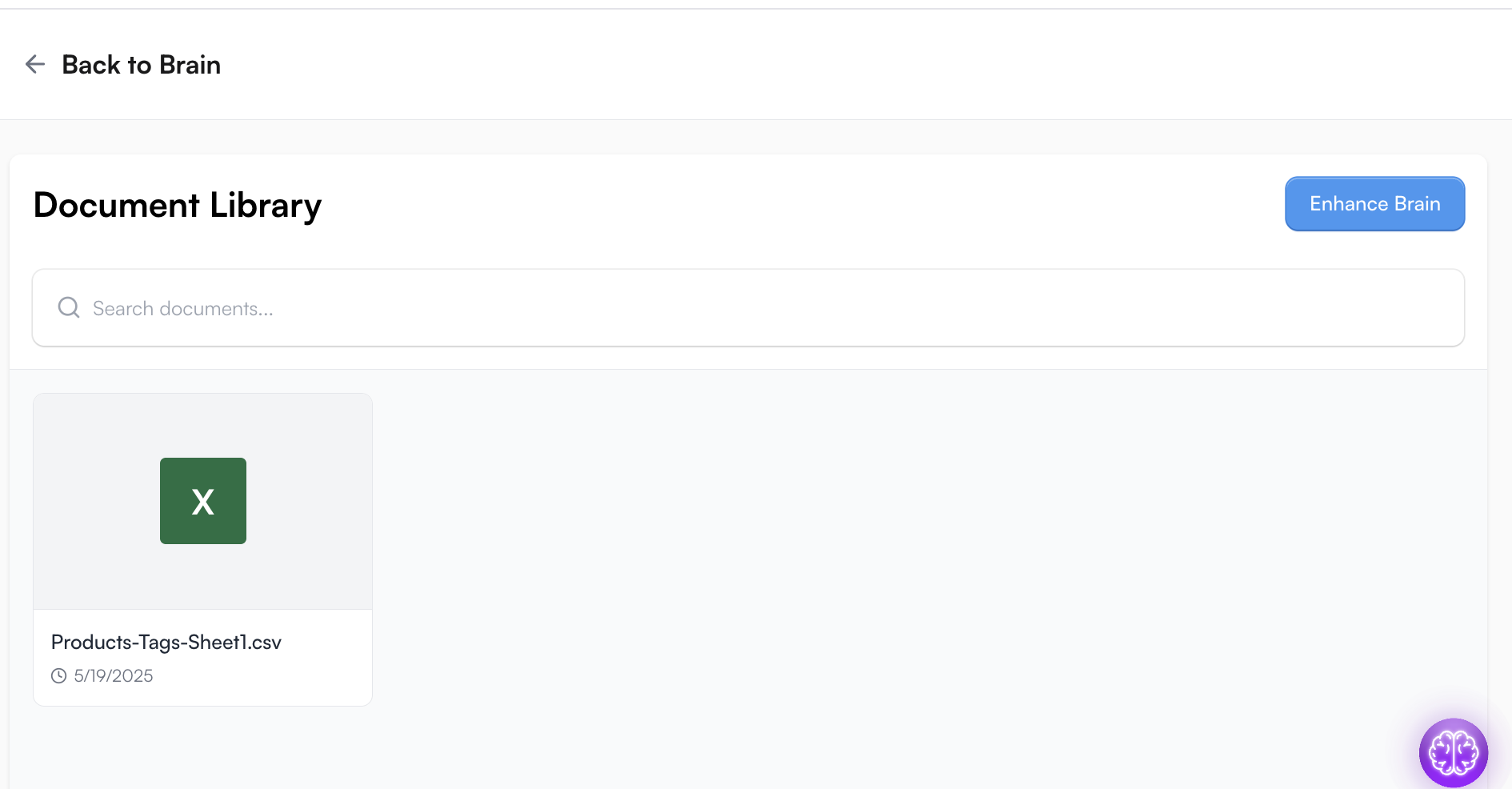
✍️ Using Brain to Create Products
You can create a product using Brain by entering a prompt directly into the chat. Brain will automatically generate key product details for you.
Brain can:
- Generate a product title and description
- Suggest pricing (if available)
- Recommend audience targeting and positioning
Where to Access This:
- From the Brain chat widget, click "Add Product".
Depending on where you use Brain, the available features may vary slightly. To access the Create and Edit product functions, ensure you are in the Create Product tab shown in the interface below.
*You can also use Brain to edit your product listings. 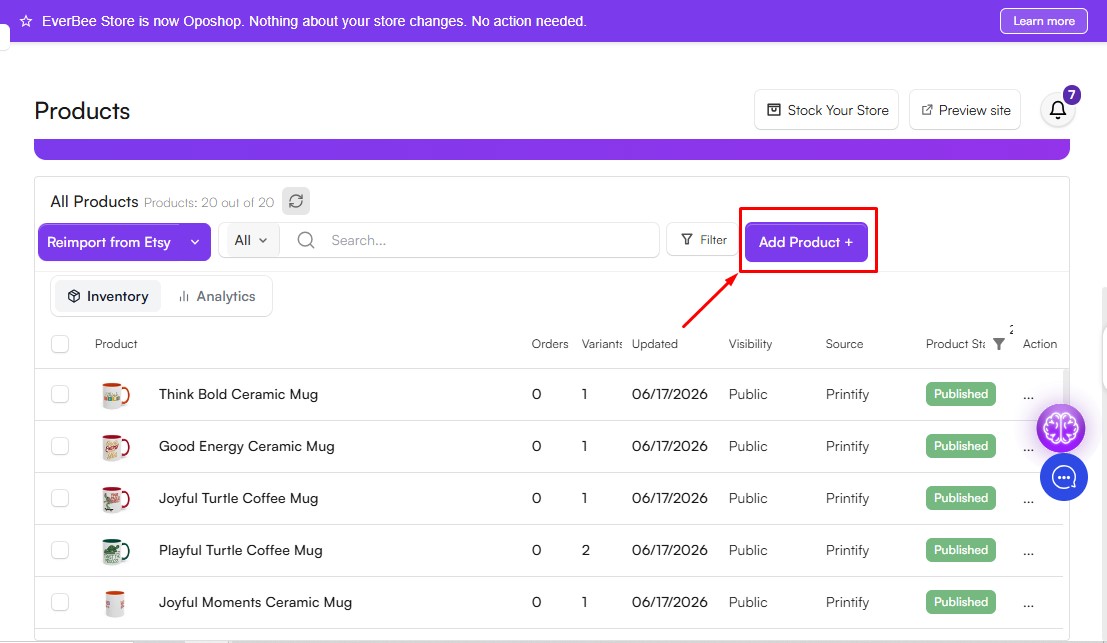
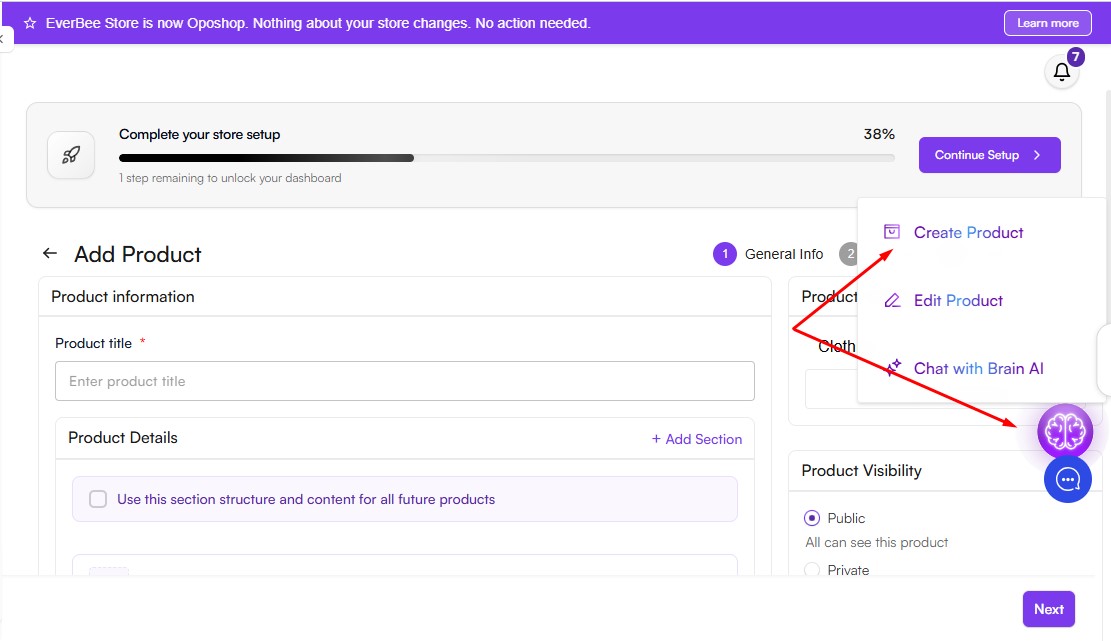
Additional information
We’re continuously expanding what Brain can do. Upcoming updates will include:
- Running email marketing campaigns
- Connecting directly to social media for posting
- Integration with PayPal, Google Analytics, and more
You can also drag and drop the Brain widget icon anywhere on your page to reposition it as needed.